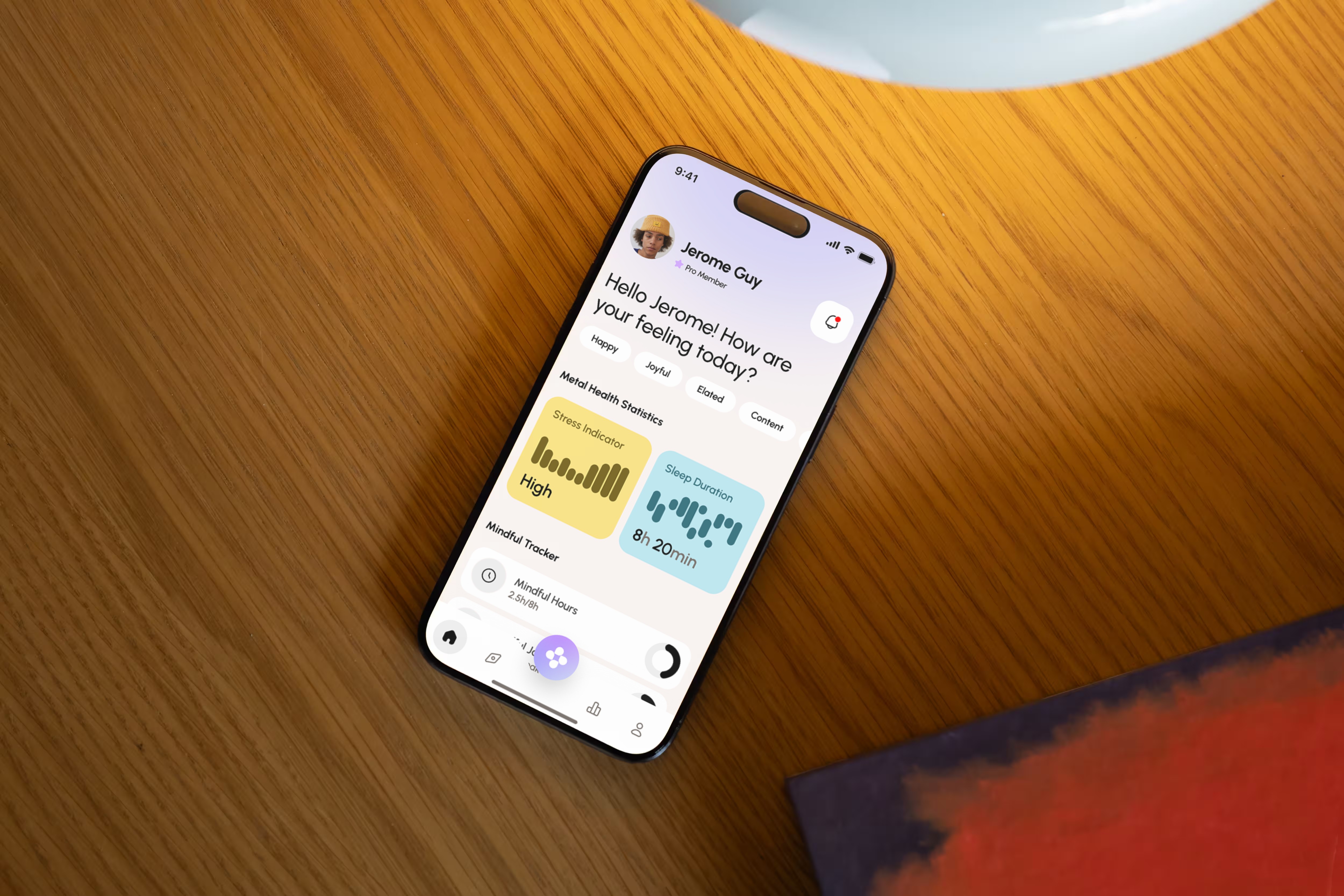
Overview
As I grew older, I realized that mental health is just as important as physical health. Yet most existing apps are either too clinical (cold, anxiety-inducing) or too simplistic (just meditation).
I wanted to create an experience that combines emotional tracking, AI-powered support, and physical wellness, all wrapped in a soothing interface that makes you want to come back.
Goal: Demonstrate my ability to design a complete app on a sensitive topic, where every detail matters to build trust.
The Challenge
How do you talk about mental health without being anxiety-inducing? How do you collect sensitive personal data while keeping users comfortable?
3 tensions to resolve:
Density vs. clarity → Many features (mood tracking, chat, workout, nutrition, AI) without overwhelming the interface
Serious vs. accessible → A health topic that doesn't feel like a medical file
Data vs. trust → Collecting intimate information (mood, stress, facial scan) without creating discomfort
1. AI Facial Scan, the differentiating Feature
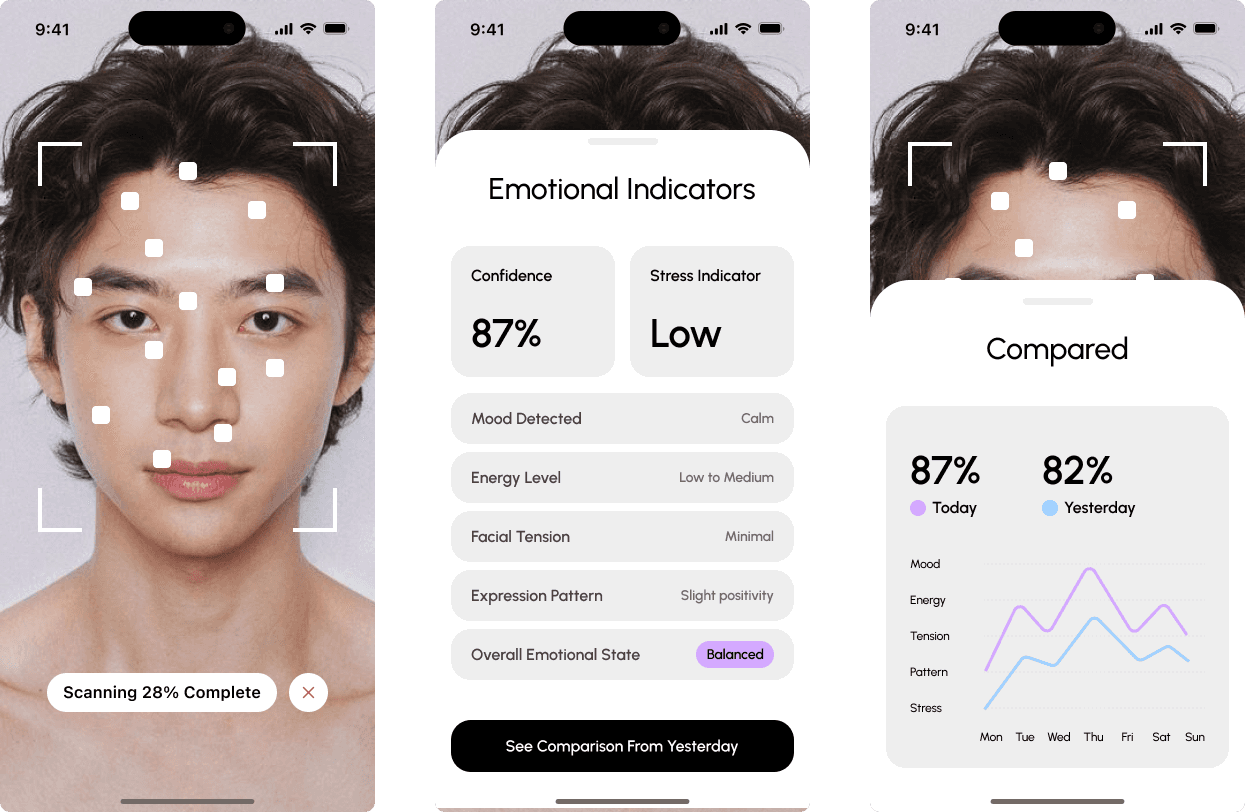
This is the feature I'm most proud of. Users can scan their face to get an instant emotional analysis.
The Flow
Step 1: Scanning The camera activates with a clean overlay showing facial detection points. A progress indicator ("Scanning 28% Complete") keeps the user informed. The dark background focuses attention on the face.
Step 2: Results The analysis displays 6 key indicators:
Confidence level (87%)
Stress indicator (Low)
Mood detected (Calm)
Energy level (Low to Medium)
Facial tension (Minimal)
Expression pattern (Slight positivity)
Overall emotional state (Balanced)
Step 3: Comparison The real value: comparing today's scan with yesterday's. A simple visualization shows progress across 5 dimensions (Mood, Energy, Tension, Pattern, Stress) with a week-long timeline.
What This Demonstrates
Designing AI features that handle sensitive data requires more than good UI, it requires trust architecture. Every choice (dark background, self-comparison, positive language) was made to answer one question: "Would I feel comfortable using this?"
2. AI Guides, Personalized Support That Feels Human
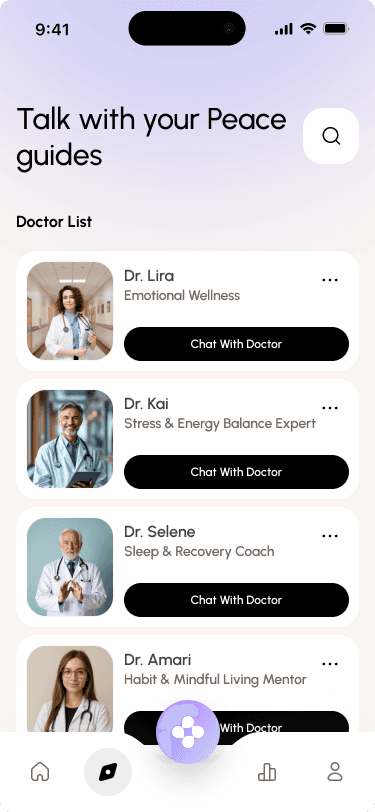
Rather than a generic chatbot, I created specialized "guides" with distinct personalities and expertise.
The Concept
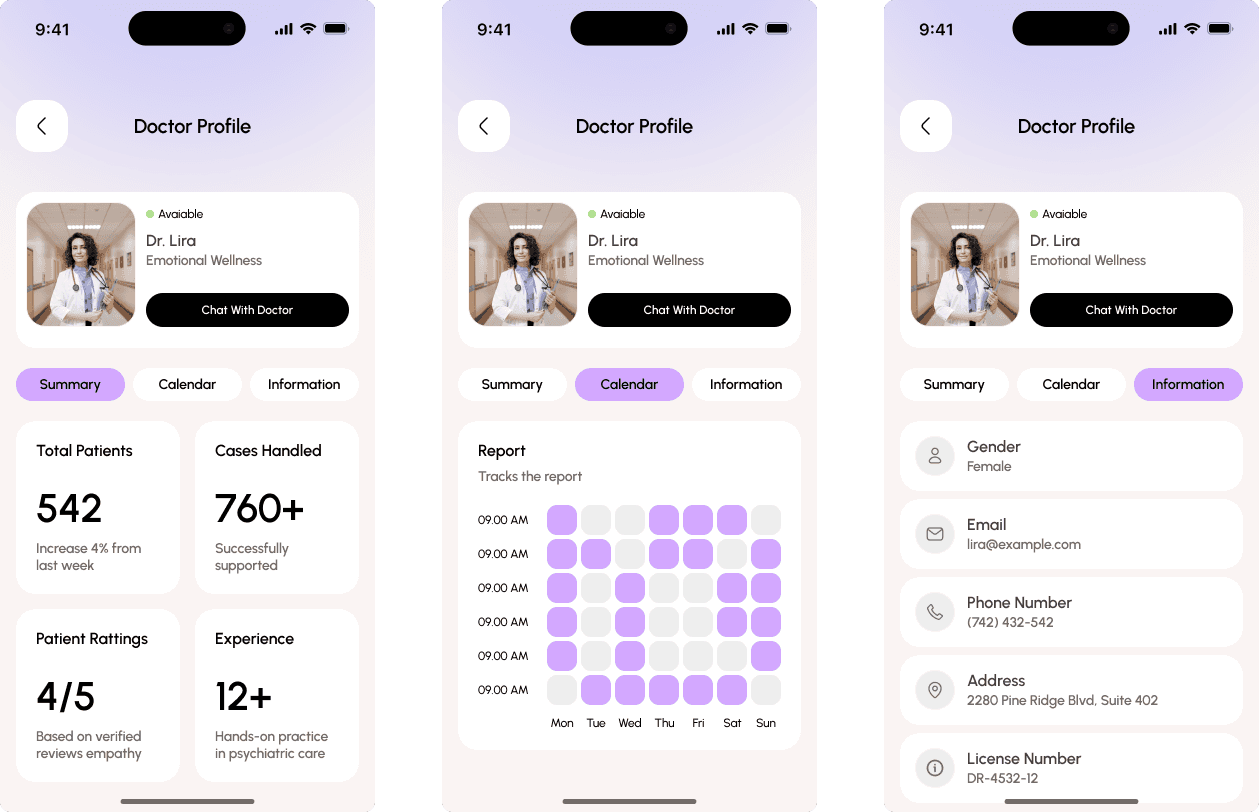
Each guide is a virtual expert in a specific area:
Dr. Lira → Emotional Wellness
Dr. Kai → Stress & Energy Balance
Dr. Selene → Sleep & Recovery
Dr. Amari → Mindful Habits
Why Specialists Beat a Generic Bot
Trust through expertise. When you're struggling with sleep, you want to talk to someone who specializes in sleep? not a generalist. The specialization creates credibility.
Relationship over transaction. Each guide has a full profile:
Summary with stats (542 patients, 760+ cases, 4/5 rating, 12+ years experience)
Available calendar for scheduling
Professional information (license number, address)
This isn't just a chat interface, it's a relationship system.
Conversation Design
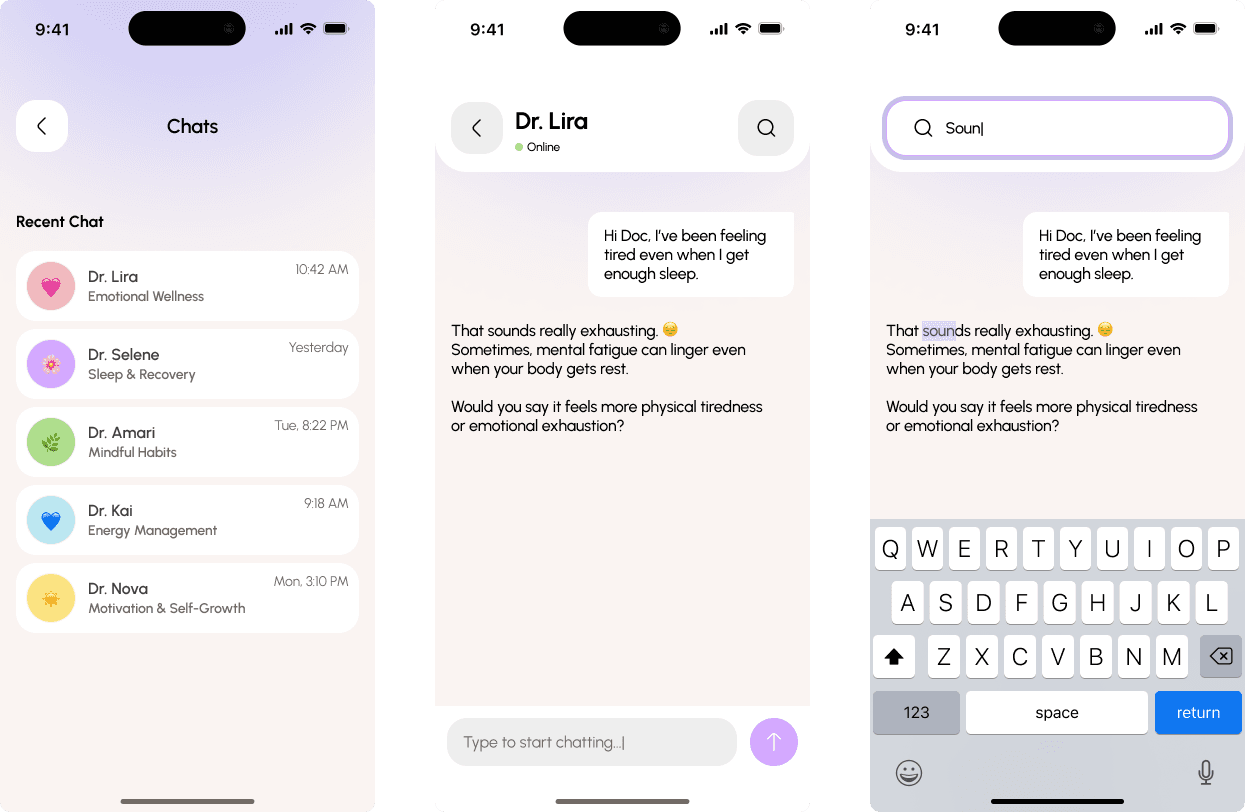
Supporting Features
Chat history → Access past conversations with all guides
Search → Find specific topics discussed previously
Availability indicator → "Online" status creates a sense of presence
3. Assessment, Understand Before Supporting
The onboarding experience sets the tone for the entire app. It needed to collect sensitive information while making users feel heard, not interrogated.
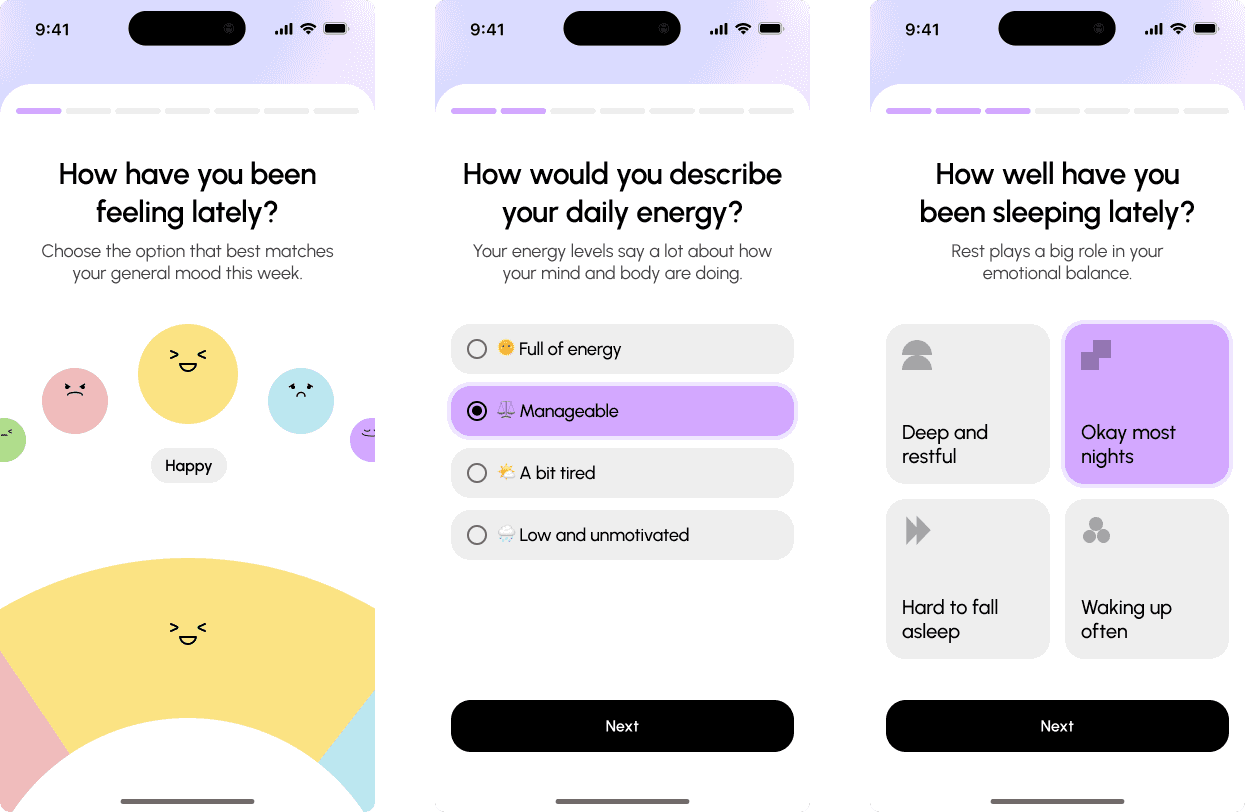
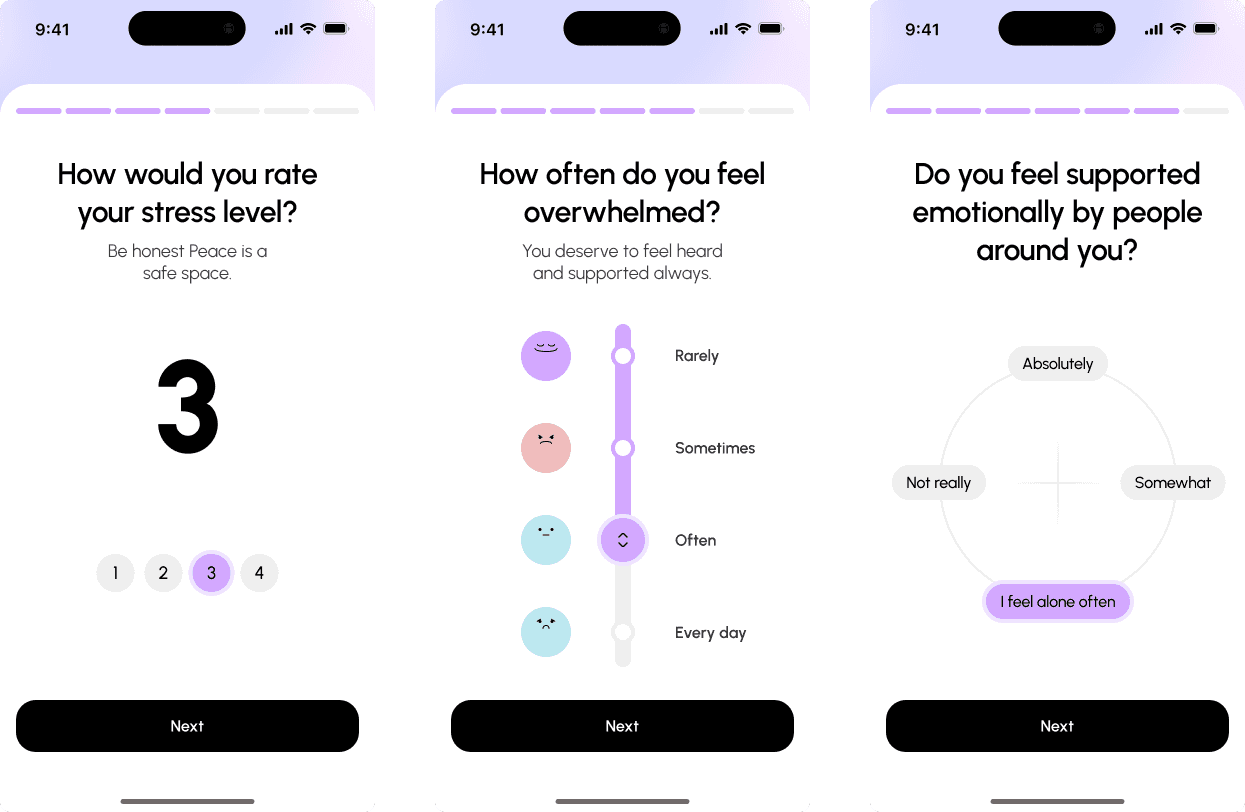
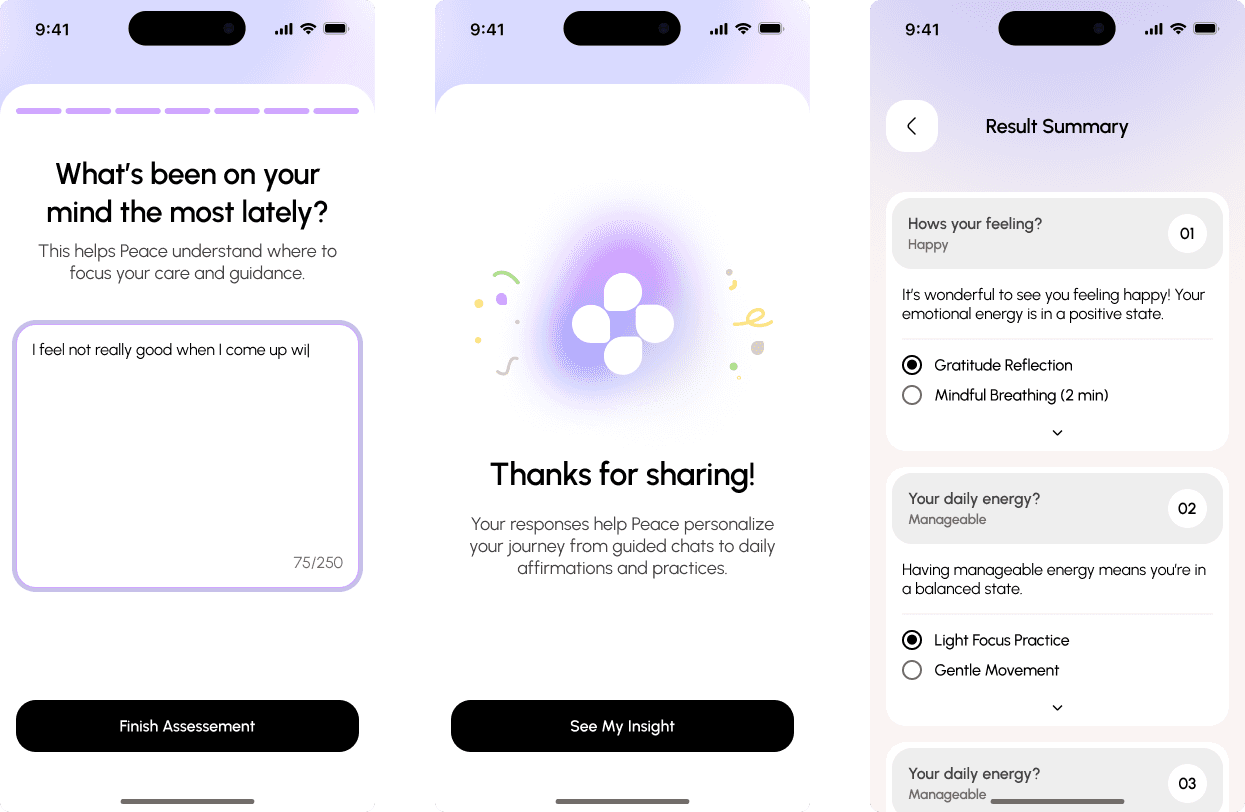
The Flow: 7 Questions, 7 Screens
How have you been feeling lately? (emoji selection)
How would you describe your daily energy? (multiple choice)
How well have you been sleeping lately? (icon grid)
How would you rate your stress level? (1-5 scale)
How often do you feel overwhelmed? (frequency selection)
Do you feel emotionally supported by people around you? (scale + open text)
What's been on your mind the most lately? (open text)
Design Decisions
One question per screen. No intimidating forms. The user focuses on one thing at a time.
Visual variety. Each question uses a different input type (emoji, text, scale, grid). This keeps the experience engaging and matches the input to the question type.
Progress bar. Always visible at the top. Users know where they are and how much is left.
Illustrations. Friendly visuals (like the stress-level faces) lighten heavy questions.
The Payoff: Personalized Summary
After completing the assessment, users receive a "Result Summary" that:
Reflects their answers back to them ("Your emotional energy is in a positive state")
Provides personalized recommendations (Gratitude Reflection, Mindful Breathing)
Explains why their data matters ("Your responses help Mindora personalize your journey")
The key insight: Users are more willing to share sensitive data when they see immediate, personalized value in return.
What I Learned
AI features require trust architecture.
The facial scan could have been creepy. By making it user-initiated, self-comparative, and positively framed, it becomes a tool for self-discovery. Every AI feature needs this level of intentionality.
Sensitive topics demand empathy at every step.
I constantly asked myself: "If I were struggling emotionally, would this screen make me feel better or worse?" That question guided every design decision.